
New to the Easia Media Library? Start here.
This article introduces the Easia Media Library and what it can do for your marketing work, so you understand its value before you request access.
Overview
Building a destination page, a proposal, or a social campaign, and wondering what kind of visuals are available to you? The Easia Media Library is Easia Travel's central collection of approved, ready-to-use images for exactly this kind of work. This article introduces what's inside and how it's organized, so you know what to expect before you request access.
Why this matters
Knowing what the Library offers and where to find it means you can plan your project around it from the start, instead of discovering it midway through. A quick browse through a destination folder can spark ideas for a campaign; a direct search gets you to a specific hotel image in seconds.
What marketing images are available?
The Media Library contains approved travel visuals curated for presentations, websites, proposals, campaigns, and other marketing materials, including:
- Hotel images
- Destination images
- Experiences and activities
- Landscapes
- Food and beverage
- Culture and heritage
Main areas of the Media Library
Once you're signed in, you'll see several key areas:
Library
The main area where images are organized into folders and albums by destination, theme, category, or collection. Useful when you're exploring a destination for inspiration, such as building out a Vietnam landing page or a Thailand campaign.
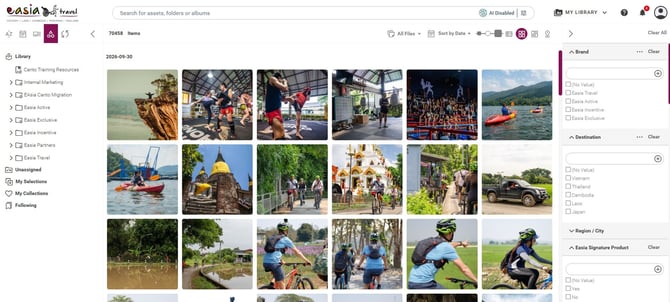
Search bar
Use this when you already know what you're looking for: a hotel name, a destination, an activity, or a theme. The fastest way to go straight to a specific visual, like a proposal image for a Cambodia honeymoon package.

Tip: Looking for a quick starting point? Search for a country, then use the "Best Of" filter to find images preselected by the Easia Travel Marketing team for presentations, decoration, and other marketing materials.
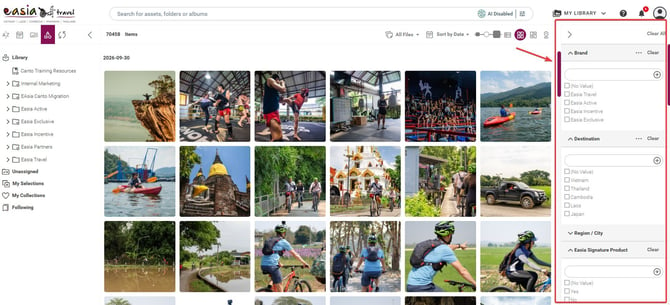
Filters
Narrow your results after searching or browsing. Filters help you focus on the most relevant images by destination, content type, tags, and other available metadata. You can also use Best of to find images pre-selected by the Easia Marketing team for a specific country.
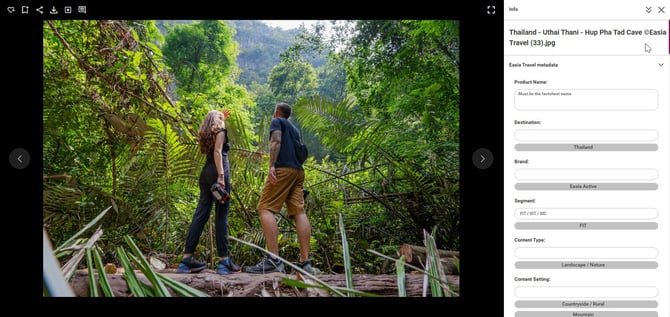
Asset Preview
Select an image to open Asset Preview, where you can view it at full size, check its details, and review usage information before downloading. For a quicker check while browsing, you can also hover over an image to view available information.
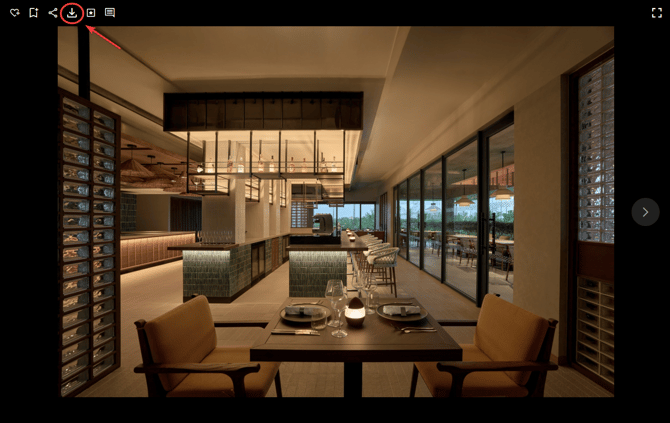
Download button
Use this when you're ready to save an image to your device. Depending on the image, you can choose the original file or a customized version sized for your channel.
Browse for inspiration, or search with a purpose?
Browse the Library to explore what's available for a destination or theme. Search when you know exactly what you need - a specific hotel, attraction, or activity.
Tip: If you're new to the Media Library, start by browsing after you sign in. Once you understand the structure, the search becomes much faster and more accurate.
Good to know
The Media Library is updated regularly, with new images, destinations, and marketing content added over time.
Tip: When starting a new campaign, browse the relevant destination folder first. It’s a fast way to see the full range of available visuals before you narrow down with search or filters.
Watch the tutorial
What's next?
Now that you know what the Media Library offers, set up your account to start using it.
→ Next article: Get Access to the Easia Media Library